Warning: Navel-gazing techie whining follows. Skip if you value your time.
So, I thought I'd spend a lazy Easter afternoon upgrading my Fedora installation to Core 5. I've been running Fedora on various machines since the first stable release, and on my current weapon of choice since Core 3, and seldom have I encountered even a faint sigh of protest when upgrading. Usually, getting the upgrade to work involved freeing up a few hundred MB of disk space, but nothing too outrageous.
Well, Fedora's upgrade footprint has finally bloated to the point where it required excruciating and unreasonable effort on my part. If my disk were more capacious, it would have been no problem; but I've only got 4.3GB on my root partition, of which I seldom have more than 1GB free. Time and again, Fedora sadistically mocked my aspirations, promising an impending upgrade...

...only to snatch the football away at the last moment:
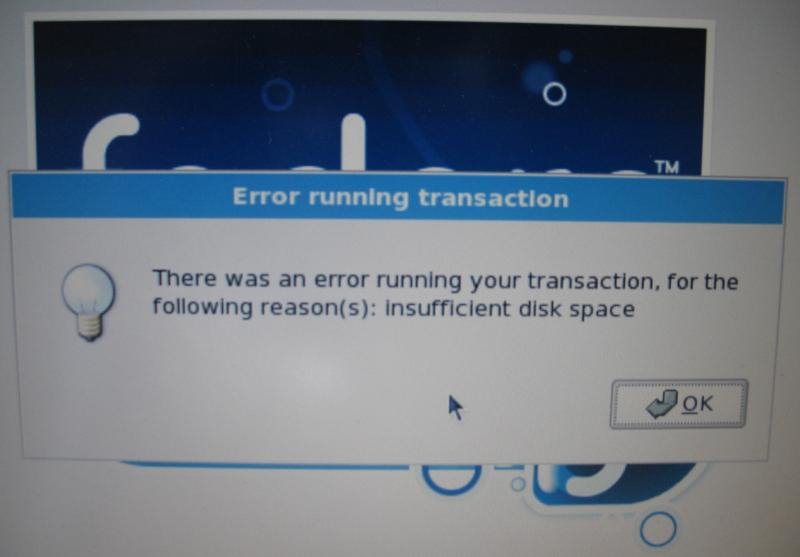
Notice that Fedora doesn't tell you how much disk space would make it happy. So, I went and deleted a few packages and re-ran the installer, and... anybody who's read Peanuts can complete the strip here.
At long last, after exerting heroic efforts, including erasing all my office software, half my programming tools, and most of my multimedia apps, I finally got 1.75GB of disk space free, whereupon the upgrade process went through without a hitch. Grrr.
Let me make clear that there's no good reason for the upgrade to need that much space. After the upgrade went through, I had about 1.9GB free. Fedora's installer simply insisted on copying a ridiculous mass of data (RPMs, I assume) from the DVD-ROM to the hard drive prior to installing them, so that I effectively needed enough disk space for two copies of the operating system. Which doesn't make any sense. Before upgrade: one operating system; after upgrade: one operating system. At no point was it really necessary to have two operating systems on the hard disk.
As it happens, I've been feeling the pinch in other ways w.r.t. hard drive space anyway, especially since I bought my first real digital camera last year, so I decided that it was finally time to buy a new hard drive. (There goes my tax refund.) Whereupon I realized that (1) I dual boot Linux and Windows, (2) I don't trust disk tranfer utilities to deal with my dual boot situation, and (3) IBM does not ship a Windows reinstallation disk by default with its Thinkpads, so I had to order one. As my warranty expired in February, this involves paying $45 for another copy of an operating system I already own. Grrr.
Anyway, I hereby offer the following advice, so that this post won't only be a useless whining session:
- When buying a notebook computer, if you are a demanding user, buy the biggest hard drive available. Every single time I've owned a notebook, I've filled up the hard drive before I've outgrown any other part of the computer (video card, CPU, RAM, whatever). This has been true even when I've been initially amazed at the spectacular --- nay, intimidating --- size of my hard drive.
- When buying a notebook computer, make sure that you obtain an installation CD for your OS right after you buy it, so that it's still in warranty. I'm not sure if IBM/Lenovo is the only vendor who regularly ships notebooks without an OS install disk, but be aware of the issue.
- If you ever want to repartition a disk, use a GParted bootable LiveCD. It's amazing to me how utterly superior GParted is to, say, Partition Magic. I mean, it's not that amazing, because I've always wondered what makes repartitioning so hard anyway. (It seems exactly like a mixture of copying and compacting garbage collection, which have been solved problems for decades.) Anyway, Partition Magic and its commercial cousins are basically obsolete now.